Features
Everything for surtitles – nothing that puts the show at risk.
As of LaternaVersio 1.11.0. We only list what the program can do today.
From the text to the performance
1Prepare
- Import from Word, Excel, plain text, PDF, SRT and WebVTT
- Titles from scores (MusicXML, MEI, PDF), checked against the libretto
- AI translation on your own computer, also into several languages in one run – suggestions to accept
- Spelling: English (British) included, German and Italian via Windows’ own spell checker
- Characters in one place: colour, name per language, speaker names in the outputs shown or hidden – with an assistant if you like
- Versions and cuts
- Translation out as Excel or Word and back in with the differences
- Editor mode for dramaturgy and translation
2Set up
- Set-up assistant for project and computer – can be cancelled at any time
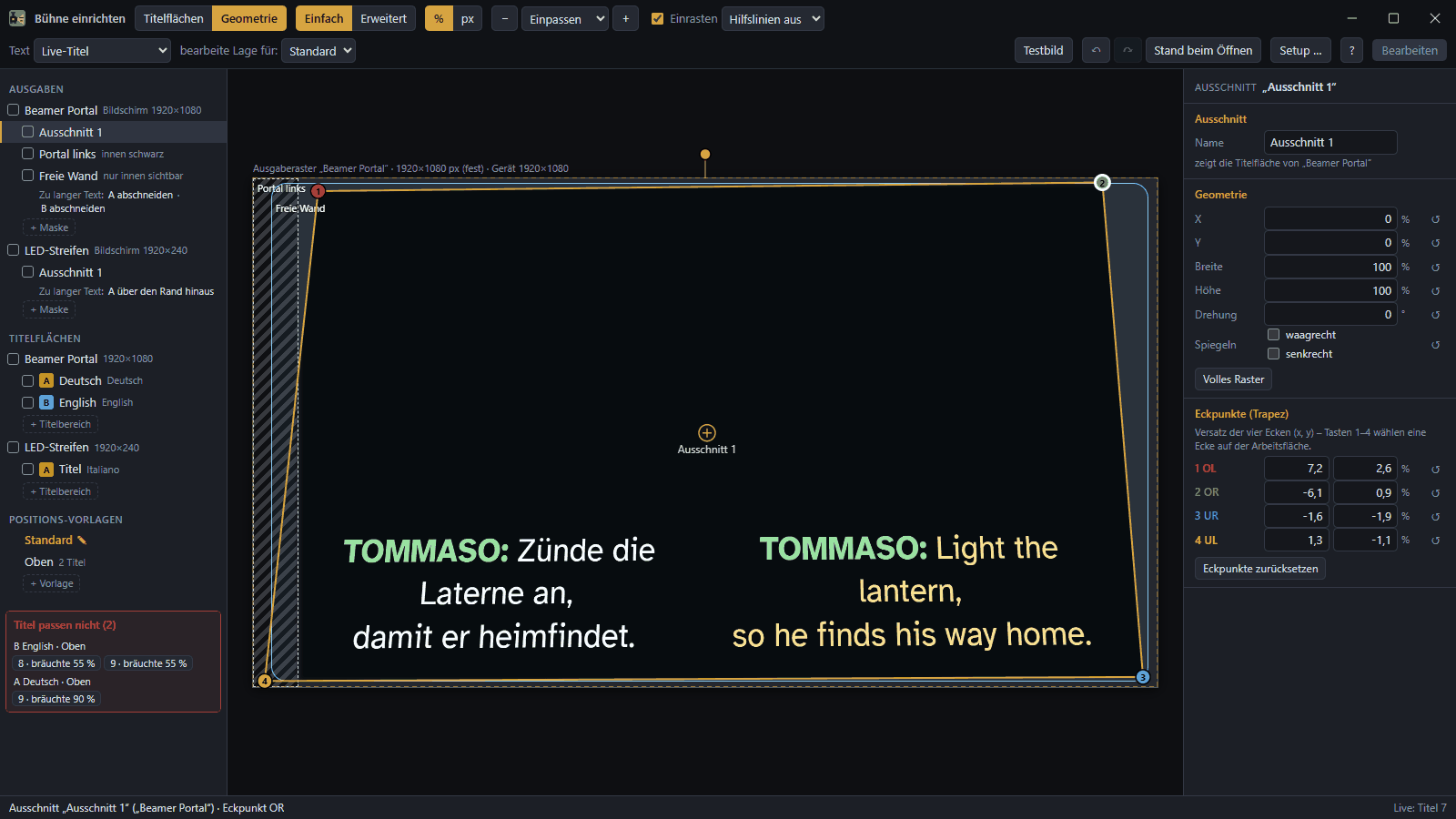
- Stage setup: title areas, corner pinning, masks, soft edge
- Projectors, LED walls, LED bands, monitors
- Projector shutters via PJLink and NEC
- Phones in the auditorium via QR Code
- Tablet as a remote control
3Rehearse
- Reading time per title
- Rehearsal notes by key or tablet
- Score with markers, ‘Go to’ and ‘Set cue here’ by right-click in the music
- Stage video with title overlay and recording
- Edit titles in the browser on a laptop – via the technical access in the venue network, with a password per project and approval at the desk
4Show
- GO, Next, Back, Black ▸ Next, Blackout, Freeze
- Panic = Esc, from every window
- Protection against slips: ‘Back to the start’ in two steps, notices as a bar with OK
- Live correction through black
- Backup computer with takeover and a confirmation before ‘Take over now’
- MIDI, OSC, timecode (MIDI and LTC), module for Companion
- Performance log with subtitle files
New in 1.11.0: characters and speakers
All characters in one list: colour, name and a name for each language of your tracks – “Chor” in German, “Chorus” in English. New tracks in the same language take it over.
Hide speaker names for the whole project or per character: they no longer appear on projector, LED and phones, while the table and Word or Excel keep them. If you prefer to be guided, open the assistant. A single ‘Undo’ takes it all back.

Recently added
1.10.0 – Protection during the show
‘Back to the start’ in two steps, a confirmation for ‘Take over now’ on the backup computer, notices as a bar with OK instead of a window.
1.9.0 – Editor mode
For dramaturgy and translation: the same project file, everything technical hidden. One switch in the ‘View’ menu, back at any time.
1.8.0 – Set cue here
Right-click the place in the music, pick the title from the list – the marker is in place.
1.7.2 – Cancel assistants
Every assistant can be left at any step with ‘Cancel’ or ×.
Stage setup
Title areas, corner pinning, masks and soft edge are set up in one window – visible on the projector while you work.
Missing something?
Tell us what your venue needs.